When you're sending out an email press release, your main aim is not just to inform but to truly captivate and engage your audience. One smart move is to divide your email list into segments—this ensures that you're customizing your message to specific groups who will find your news most interesting.
But how do you decide on the right segments? And once you've grabbed their attention, what strategies will keep them interested? Crafting a catchy subject line, adding in captivating visuals, and other steps are all vital in making your release truly impactful.
Let's dive into how these tactics come together to not only reach but also deeply connect with your readers.
Segment Your Email List
If you want to supercharge your email campaign, start by dividing your email list into smaller groups to make sure your messages are spot on for each one. Segmentation isn't just about sending out generic emails; it's about being smart and sending tailored messages that really grab your audience's attention. Picture this: sending out content that speaks directly to what each person likes and needs—this is the magic of segmentation.
Think about it: when you send segmented emails, you get 23% more people opening them and a whopping 49% more clicks compared to non-segmented ones. It's not just about the stats; it's about building a real connection with your readers. By segmenting your list, you can dish out content that feels personal and on point, boosting engagement and driving up those conversion rates.
Plus, marketers who hop on the segmentation train see a jaw-dropping 760% boost in revenue. This huge jump shows just how much personalized emails can beef up your bottom line. Don't just hit 'send'; send emails that truly matter. Use segmentation to make sure every email you shoot out hits the bullseye, engaging your audience and raking in the cash.
Craft Compelling Subject Lines
Crafting an attention-grabbing subject line can work wonders for your email's open rates, potentially increasing them by up to 47%. When putting together an email press release, your subject line plays a crucial role in piquing the interest of journalists and influencers. Let's dive into some tips on how to nail those all-important words:
- Keep It Concise: Try to stick to under 50 characters. This way, your entire subject line will show on mobile screens, boosting the chances of recipients engaging with your email.
- Add a Personal Touch: Consider including the recipient's name or a relevant detail. Personalized subject lines not only catch the eye but also make each recipient feel like the message was tailored just for them, leading to a 26% increase in open rates.
- Create Urgency and Intrigue: Use language that conveys urgency or sparks curiosity. Phrases like 'Act Now' or 'Don't Miss Out' encourage recipients to take action promptly, driving immediate interest.
- Experiment and Improve: Don't settle for your initial idea. Test out different variations and keep tabs on which ones perform best. Continuously refining your subject lines can significantly enhance the impact of your press releases.
Ensure Mobile Responsiveness

With more than 60% of emails being opened on mobile devices, it's crucial to ensure that your press release emails are optimized for mobile viewing. This isn't just a nice-to-have; it's a must-have. Mobile-friendly emails not only broaden your reach but also boost user engagement significantly. When your press releases are easy to read on smartphones and tablets, you keep your audience interested and active.
By making your press release emails mobile-responsive, you can expect a 24.9% higher click-to-open rate compared to non-optimized ones. This isn't a minor improvement; it's a game-changer in how effectively you can connect with your recipients. Remember, better engagement leads to more visibility and action on your news.
Google prioritizes mobile-friendly content, so focusing on mobile optimization is key to improving your visibility in search results. Considering that 75% of users prefer mobile-friendly websites, prioritizing mobile optimization not only grabs attention initially but also fosters ongoing interaction with your content. Ensure your press release emails are designed to be easily accessible and attractive on all devices to maximize the impact of your communication.
Develop Engaging Content
If you want to really make an impact, focus on creating catchy headlines that immediately grab your audience's attention.
Incorporate visually appealing elements such as infographics or short videos to keep your readers engaged and more inclined to share your content.
These additions not only attract the eye but also help simplify complex information, making it easier to understand and remember.
Craft Captivating Headlines
Want to make sure your email press release packs a punch? Crafting a headline that grabs attention is key. Your headline is often the first, and sometimes only, chance to hook your readers. Here's how you can create one that really stands out:
- Use Powerful Words: Sprinkle your headline with words that evoke strong emotions and create a sense of urgency.
- Stay on Topic: Make sure your headline aligns closely with the main message of your press release to keep it relevant and consistent.
- Keep it Short and Sweet: Aim for brevity. A concise headline is more likely to make an impact and be remembered.
- Include Keywords: Incorporate relevant keywords to boost search visibility and ensure your press release doesn't get lost in crowded inboxes.
Utilize Visual Enhancements
When you're crafting press release emails, remember that adding images and videos can really amp up engagement rates—by as much as 650%! It's not just a nice-to-have; it's a must to grab journalists' attention.
Press releases that include visuals get 94% more views than those without. Think about it: your message isn't just skimmed, but truly understood and remembered. Videos can boost understanding by 74%, while visual aids can up retention rates by 65%.
Don't just tell your media contacts—wow them. Sprinkle in captivating images and videos that drive home your main points. This smart move ensures more clicks, turning your press release into a potent communication weapon.
Time Your Press Release
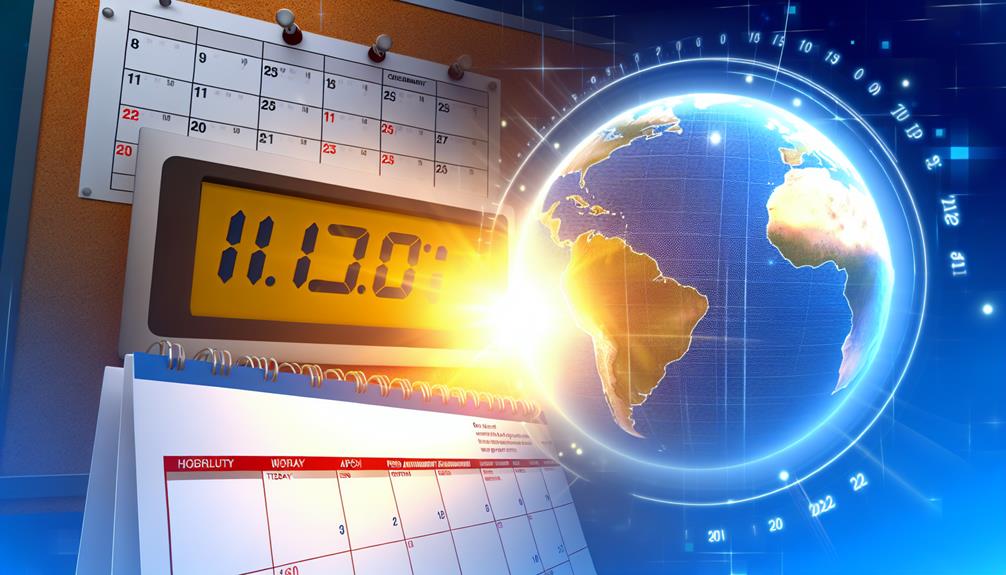
Timing your press release just right can really boost its visibility and impact. When you're shooting off a press release via email, nailing the timing is key to reaching your target audience effectively. Let's break down how you can smartly schedule your emails:
- Midweek Magic: Studies show that Wednesdays are prime time for press releases to grab media attention. Shoot for the middle of the week to hit that sweet spot of maximum visibility.
- Early Afternoon Edge: Sending emails between 1 pm and 3 pm scores a 25% higher click-through rate. So, plan your press release for the early afternoon to ramp up that engagement.
- Avoid Mondays and Fridays: Mondays and Fridays are when inboxes are overflowing, making your release easy to miss. Steer clear of these days to ensure your news doesn't get lost in the shuffle.
- Weekend Shares: For boosting social media shares, consider a weekend delivery. Press releases sent out on weekends see a 60% surge in social media sharing, tapping into a more laid-back, scrolling crowd.
Analyze Results and Feedback
After you've sent out your press release, it's crucial to keep an eye on how it's doing.
Check your open and click-through rates to see what's resonating with your audience and what's not.
Use this data to fine-tune your approach and improve your future email campaigns for increased engagement and broader reach.
Evaluate Response Metrics
When you send out an email press release, it's crucial to track key metrics like open rates, click-through rates, and engagement levels. These numbers give you insight into how well your press release is connecting with journalists and your target audience. Here's what to focus on:
- Open Rates: Look at how many people are opening your email. High open rates mean your subject line is grabbing attention.
- Click-Through Rates: Check if recipients are clicking on the links in your press release. This indicates interest and engagement with your content.
- Feedback: Pay attention to responses from journalists. Their input can help you shape future content and pitches.
- Conversion Rates: Measure how often journalist interest leads to media coverage or website visits.
Use these insights alongside PR tools to keep refining your strategy. Remember, understanding these metrics is key to crafting effective email press releases that get noticed.
Adjust Strategy Accordingly
So, you've checked out how your email press release is doing, right? Now, it's time to tweak things a bit to get even better results next time.
Look into stuff like who's opening your emails, clicking on links, sharing them, and leaving comments. This will show you what's really hitting the mark and what's not.
And don't forget to listen to what journalists and readers are saying – their feedback is gold for fine-tuning your email game. If something's not clicking, make some changes. Maybe your email subject lines need a bit more pizzazz, or your call to action could be clearer.
Building good relationships with journalists will also help you get more press coverage. Remember, it's all about getting better bit by bit. Keep analyzing, keep tweaking, and you'll start seeing more engagement and better media buzz.
Include Multimedia Elements

Integrating images and videos into your press releases can really amp up audience engagement, giving your news a boost in visibility. It's not just about sharing information; it's about creating an immersive experience that resonates with your readers on a deeper level.
Here are some tips on how to jazz up your press releases with multimedia elements:
- Eye-Catching Images: Adding striking images can spike engagement by a whopping 94%. Opt for high-quality, relevant photos that grab attention right off the bat.
- Video Power: Videos can skyrocket click-through rates by 300%. Incorporate a snappy video that either summarizes your press release or delves deeper into your announcement.
- Infographics for Clarity: When dealing with complex data or stats, infographics can be a lifesaver. They simplify information, making it easier to digest and share, boosting the chances of your press release going viral on social media.
- Social Media Tagging: Don't forget to tag relevant social media handles when you include multimedia. This can encourage sharing, widening your press release's reach to a broader audience, including key journalists.
Incorporate a Clear Call to Action
When crafting your email press release, remember to include a clear and compelling call to action to boost engagement rates significantly. By guiding your readers on the next steps, you're not just sharing information; you're encouraging interaction. Studies reveal a remarkable 371% increase in click-through rates when press releases incorporate a strong call to action. This isn't just a minor improvement; it's a game-changer in how your message resonates.
Ensure your call to action is precise and actionable. Avoid leaving your audience guessing—let them know exactly what you want them to do, whether it's signing up for a webinar, grabbing a white paper, or checking out a landing page. Incorporate a visually striking button that catches the eye in your email design. This way, your call to action stands out and is easy to click on.
To enhance engagement further, consider adding a sense of urgency or a tempting incentive. Phrases like 'Register now' or 'Download today for a free gift' can create a compelling reason for immediate action. Remember, monitoring the performance of your call to action is crucial. It provides valuable insights that can help fine-tune your future press releases for even broader reach and interaction.
Leverage Social Sharing Features

Want to make sure your email press release reaches as many people as possible? Easy – just add social sharing buttons! These little buttons make it a breeze for folks to spread the word on platforms like Twitter, LinkedIn, and Facebook. By including them, you can extend the reach of your press release beyond traditional media outlets to a wider online audience.
Here's how you can make the most of these features:
- Share-Worthy Content: Sprinkle your press release with catchy quotes, key points, or captivating visuals that people will want to share.
- Make Sharing Simple: Place those social sharing buttons front and center so they're hard to miss. The easier it's for recipients to share, the more likely they're to do so.
- Offer Incentives: Spice things up by throwing in some incentives for sharing, like exclusive content or a chance to win a cool prize. It's a great way to boost engagement.
- Track Your Shares: Keep an eye on how your press release is being shared across different platforms. This data will give you insights into what resonates with your audience so you can tweak your approach for future releases.
Implement a Follow-Up Campaign
If you want your email press releases to have a real impact, nailing the timing of your follow-up emails is key. Adding a personal touch to your messages by showing you've done your homework can really up your chances of getting a response.
Plus, by keeping an eye on how people are responding, you can tweak your approach and make your future campaigns even stronger.
Timing Follow-Up Emails
So, you've sent out your press release, but what's next? Well, let me tell you, following up is key to getting the most out of your efforts. Here are some tips to help you nail those follow-up emails like a pro:
- Keep an Eye on Engagement: Use PR tools to see who opened your first email. This way, you can focus on those who are interested.
- Spruce Up Your Content: Add new info or angles that grab attention and provide value. Freshness is key!
- Don't Overdo It: One follow-up email is plenty. You want to be professional, not pushy.
- Track Your Progress: Check how your follow-up campaign is doing. This data will help you fine-tune your future strategies.
Personalizing Follow-Up Messages
When it comes to reaching out to journalists after sending a press release, adding a personal touch can make all the difference.
As a PR professional, you understand the importance of following up with tailored messages within a few days to keep your story on their radar.
By referencing specific details from your initial press release and customizing your follow-ups based on the journalists' previous work, you set yourself apart from the generic emails flooding their inbox.
This personalized approach not only increases your chances of getting noticed but also boosts your open rates by 26% and responses by 18%.
Remember, each follow-up is an opportunity to forge a connection with the journalist, increasing the likelihood of them covering your story.
Analyzing Response Metrics
When you dive into response metrics, you get a chance to fine-tune your follow-up strategy, making sure you connect with journalists who are likely to boost your press release. By using email tracking tools, you can pinpoint exactly where to direct your efforts. Here's how to make the most of the data:
- Keep an Eye on Open Rates: Spot journalists who show initial interest.
- Track Click-Through Rates: Measure deeper interest in specific parts of your content.
- Assess Engagement Levels: Fine-tune your messaging based on interactions.
- Customize Follow-Up Campaigns: Send tailored follow-ups to those who engage the most.
This approach ensures you're not just sending out mass emails but building relationships and increasing the chances of your story getting noticed. Remember, it's all about precision, not just volume.
Frequently Asked Questions
How Do You Maximize a Press Release?
If you want to make the most out of your press release, here are a few tips to help you shine: personalize your emails, add in some eye-catching visuals or videos, send them out at the right times, and don't forget to follow up. And hey, using PR tools can really smooth out the whole distribution process for you. Trust me, it's a game-changer!
How Do You Distribute a Press Release via Email?
When you're sending out a press release via email, it's essential to tailor your messages to match what journalists are interested in. Make sure to include eye-catching multimedia elements that grab their attention and provide easy access to your content. Leveraging PR tools like Prowly can help you keep track of how your emails are performing and optimize them for better results. It's like having a secret weapon in your PR arsenal! So, don't forget to add that personal touch and make your press releases stand out in journalists' inboxes.
How to Improve a Press Release?
If you want your press release to really stand out, think about adding some engaging visuals like videos or images, using keywords that will boost its online visibility, and tailoring the content to connect with your specific audience. Keep track of how it's performing and try out different approaches to see what works best.
It's all about making your message more interactive and appealing, so don't be afraid to experiment and see what resonates with your readers. By staying on top of the numbers and being open to new ideas, you can keep refining your press release for maximum impact.
How Do You Market a Press Release?
When you're getting the word out about your press release, think of it like throwing a wide net out there; you want to catch as many interested folks as you can. Make sure you're hitting the right media spots and using social media to spread the word efficiently.