Did you catch that press releases with images get a whopping 94% more views than those without? In today's digital world, you can't underestimate the impact of striking visuals.
It's not just about throwing in some nice pictures; it's about choosing sharp, emotion-evoking images that truly match your brand's message. Placing these visuals thoughtfully and ensuring they stay on point can really boost engagement.
So, how can you make sure each image hits the mark every time? Let's dive into some techniques and tools to help you amplify the impact of each press release you put out there.
Key Takeaways
When it comes to creating impactful digital press releases, using high-quality images is key. Make sure your visuals are crystal clear and maintain a professional look by opting for high-resolution images. These images should not only be visually appealing but also align with your brand identity, reinforcing your message and building trust with your audience.
To enhance user experience, optimize your images for quick loading speeds. This ensures that your audience can access the visuals without any delays, keeping them engaged with your content. Start off strong with a striking image that grabs attention right away. Strategically placing visuals throughout your press release can help guide readers through the key points you want to emphasize.
Don't forget to include alt text with relevant keywords for each image. This not only improves accessibility for all audiences but also boosts your SEO efforts, helping your press release get discovered more easily online. By following these image tips, you can elevate the impact of your digital press releases and effectively communicate your message to your audience.
Importance of Visual Storytelling
Visual storytelling is a game-changer for digital press releases. Studies have shown that incorporating images can boost engagement by up to 94% compared to text-only content. It's not just about making things look pretty; images play a crucial role in capturing your audience's attention and driving interaction.
Why does this work so well? Well, for starters, pictures can help simplify complex information, making it easier for people to understand and remember. Research indicates that 65% of folks are visual learners, meaning they grasp and retain info better when it's presented visually. This can lead to a whopping 65% increase in comprehension and retention rates. When your audience gets your message clearly, they're more likely to take action.
The power of visual storytelling extends to social media too. Press releases with images can see a staggering 150% surge in shares on platforms like Facebook and Twitter. This means more eyes on your content and more buzz surrounding your brand. Images aren't just an add-on; they're a must-have for boosting engagement.
And here's a stat that speaks volumes: articles with relevant visuals get 94% more views than those without. This alone should convince you to sprinkle images into every digital press release you put out. It's not just about catching the eye; it's about keeping folks interested and forging a deeper connection with your audience.
In a nutshell, visual storytelling isn't just a trend—it's a powerful tool that can elevate your digital press releases and make a real impact on your audience.
Criteria for Selecting Images
When selecting images for your digital press releases, it's crucial to be strategic. High-resolution images are a must-have; they ensure clarity and a professional look that leaves a strong first impression. Blurry or pixelated visuals can hurt your credibility, so always go for high-quality options.
Make sure your images are in line with your brand identity. Each image should reinforce your brand's message and values, creating a consistent and recognizable narrative. Choose visually appealing images that resonate with your audience and tie in with the content of your press release to grab attention and keep readers engaged.
Consider the format and size of your images as well. Optimizing for fast loading speed and compatibility across different devices is key. Slow-loading images can be frustrating and increase bounce rates, so compress your images properly without sacrificing quality to ensure quick loading and proper display on all screens.
Emotional engagement is also important. Images that evoke feelings can enhance your storytelling, forging a deeper connection with your audience and making your press release more memorable and impactful.
Lastly, ensure that your images contribute meaningfully to your overall storytelling. They shouldn't just be decorations; they should add value, context, and depth to your written content.
Strategic Image Placement
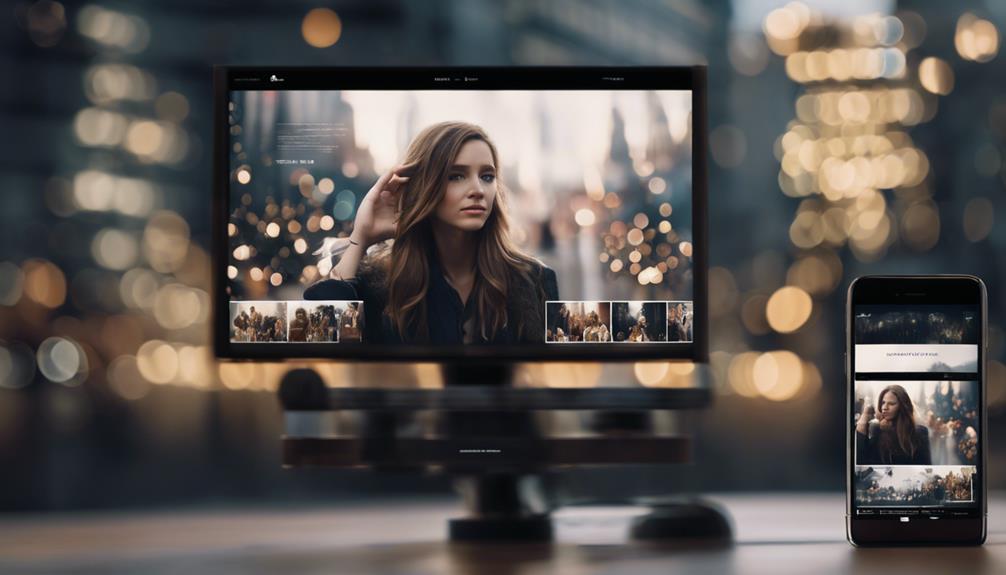
Strategic image placement is like the secret sauce that can really spice up your press release, making it more engaging and memorable. Imagine grabbing your audience's attention in just a couple of seconds and then keeping them hooked throughout your announcement. That's the power of well-placed images – they can turn a plain ol' press release into a captivating story that resonates with your readers.
Studies have found that when you strategically place images in your digital press releases, you can boost engagement by a whopping 94%. So, why not kick things off with a striking image right at the beginning of your release? It sets the tone and draws people in. And as they scroll through, strategically placing images near key points can reinforce your message, making it 65% more likely to stick with your audience.
When it comes to digital press releases, keeping your readers interested is key. Think of those carefully positioned images as visual breadcrumbs, guiding your audience through your content and keeping them curious. When people are visually engaged, they're more likely to remember what you're sharing. And this heightened engagement doesn't just stop there – it can also help your content spread like wildfire on social media, with a potential 45% increase in shares. The more your message gets out there, the bigger impact your press release will have.
Ensuring Image Relevance
Selecting the right images for your digital press release can truly elevate the storytelling experience for your audience. When you choose visuals that directly align with your content, you're not just telling a story; you're showing it, creating a more immersive journey for your readers.
Incorporating relevant images into your press releases is key to boosting engagement. Research indicates that press releases with captivating visuals can receive up to 94% more views than those without. This highlights the importance of selecting images that not only catch the eye but also add genuine value to your message, helping to make your content more engaging and easy to digest.
Maintaining consistency with your brand identity is crucial for establishing trust and professionalism. By ensuring that your visuals reflect your brand's style and values, you reinforce your message and create a coherent narrative that resonates with your audience. This consistency builds credibility and strengthens the impact of your press release.
Avoid using generic or stock photos that may not accurately represent your content or connect with your audience. Instead, opt for custom visuals or high-quality photographs that truly capture the essence of your subject matter. By choosing images thoughtfully, you can enhance the context and relevance of your press release, making it more compelling and effective.
Using Alt Text

When you choose images for your press release, adding alt text is key to making them accessible and search engine friendly. Alt text, short for alternative text, provides a text description of images so that visually impaired users can understand them through screen readers. This not only enhances accessibility but also boosts your SEO efforts by helping search engines index your images effectively.
When writing alt text, aim for a brief yet descriptive explanation. Describe the image content in a way that gives context and makes the visual experience understandable for users relying on screen readers. For example, if your press release includes a photo of a new product, your alt text should mention details like the product name, key features, and distinctive design elements.
It's important to include relevant keywords in your alt text. Keywords not only make the image more relevant but also strengthen your SEO strategy. Search engines analyze alt text to grasp the image's meaning and its connection to the surrounding content. By including appropriate keywords, you boost your press release's visibility in search results.
Image Optimization Techniques
When it comes to optimizing your images, it's all about making sure they load fast and look great in your digital press releases. Choosing the right image format is key – go for JPEGs for photos and PNGs for images with transparency. This choice can really impact how quickly your visuals load without compromising on quality.
Don't forget about image resolution. High-res images are crucial for web and print, but they can be hefty in size. Strike a balance by using tools that let you adjust resolution without losing clarity. Your images will still look sharp and help boost your brand visibility.
Compression is another game-changer in image optimization. By using compression tools, you can shrink file sizes while keeping image quality intact. Smaller images load faster, which is a win-win for SEO and user engagement. Speedier loading times can boost your press release's ranking on search engines, reaching a wider audience.
Incorporating Visual Cues

When it comes to crafting compelling digital press releases, incorporating visual elements like images, infographics, and videos can truly take your content to the next level. These multimedia components not only grab attention but also make your message more easily understood, enhancing reader engagement.
Visual cues are key in breaking up text and making your press release visually appealing. High-quality images and graphics not only draw the eye but also improve how your brand is perceived, making your content more shareable on social media. This, in turn, can drive more traffic to your press release, expanding its reach.
Integrating infographics and videos into your press release can significantly boost its search engine optimization (SEO) value. Search engines favor content with diverse media, leading to higher rankings and increased visibility. Infographics excel at simplifying complex information concisely, while videos can deeply engage your audience.
Let's break it down:
- Images: Enhance engagement and brand perception.
- Infographics: Simplify complex information and boost SEO.
- Videos: Deepen audience engagement and improve SEO.
- Graphics: Capture attention and break up text.
- Visual Cues: Improve message comprehension and storytelling.
By strategically incorporating these visual elements, you not only enhance the appeal of your press releases but also improve their effectiveness in conveying your message.
Remember, a well-placed image or a captivating video can convey more than a thousand words, making your press release stand out in the crowded digital landscape.
Tools for Image Optimization
Enhancing your digital press releases with optimized images can work wonders for your online presence. Tools like Adobe Photoshop, Lightroom, TinyPNG, and Compressor.io are game-changers in this aspect.
When you dive into Adobe Photoshop and Lightroom, you unlock a world of possibilities for image compression without compromising quality. These tools let you tweak resolutions, crop images, and fine-tune visuals for the web, ensuring they look top-notch. By shrinking file sizes, you not only speed up loading times but also cater to a wider audience.
If you're seeking quick fixes, online tools like TinyPNG and Compressor.io come to the rescue. TinyPNG intelligently compresses PNG and JPEG files without sacrificing clarity. On the other hand, Compressor.io supports various formats and guarantees high-quality outcomes for better website performance and mobile optimization.
WordPress users can benefit from image optimization plugins like Smush, which automatically compresses and resizes images during uploads. This streamlines your workflow, making sure your visuals are web-friendly, load faster, and require minimal manual effort.
Measuring Image Effectiveness

When it comes to gauging the impact of images in digital press releases, there are key metrics that can shed light on their effectiveness. Click-through rates, engagement levels, and social shares are all indicators worth analyzing.
High click-through rates suggest that your images are compelling enough to drive users to your content, while increased engagement in the form of likes, comments, and shares shows that your visuals are resonating with your audience.
Beyond these metrics, impressions and conversions play a crucial role in measuring image effectiveness. Impressions reveal how many times your image has been viewed, while conversions indicate how many of those views led to a desired action, like signing up for a newsletter or making a purchase. This data offers valuable insights into how well your images are contributing to your overall objectives.
Let's not forget the significance of backlinks that stem from your image usage. These backlinks can amplify the reach and impact of your visuals, boosting your press release's authority and search engine ranking. Keeping an eye on these backlinks provides additional insight into the effectiveness of your images.
It's also essential to evaluate the relevance of keywords associated with your images to optimize search results. Aligning your keywords properly ensures that your images are easily discoverable, increasing their visibility and impact.
Lastly, monitoring audience behavior, such as time spent viewing your images and interaction rates, can offer valuable insights. Understanding what captures your audience's attention and drives interaction allows you to fine-tune your visual strategy effectively.
Frequently Asked Questions
Should You Include Images in Press Release?
Of course, adding images to your press release is a must. They can really boost engagement by as much as 650% and increase views by a whopping 94%.
Visuals help people remember information better, with a 65% improvement, and they also enhance how your brand is perceived.
Plus, pictures can simplify complex details, making it easier for your audience to grasp your message quickly.
How Do Photos Make News Stories More Powerful for Readers?
Photos in news stories pack a powerful punch, boosting engagement by a whopping 94%. They help you remember 65% more information and make stories almost certain to be seen – a 94% increase in visibility.
Captivating images also skyrocket social media shares by 150% and make you 80% more likely to read the whole story.
When you include relevant visuals, you create an interactive, unforgettable, and easily shareable experience.
What Resolution Should Images Be for Press Release?
Imagine having a fuzzy photo in your press release. Would you trust it to make the right impression?
To ensure top-notch quality for print, make sure your images have a resolution of at least 300 dpi. For online releases, aim for 72 dpi to strike a balance between fast loading times and clear visuals.
High-resolution images give your content a polished and professional appearance, enhancing its overall appeal. Remember, choosing the correct resolution can significantly impact the effectiveness of your press release.
How Do You Measure the Impact of a Press Release?
Measuring the impact of a press release is crucial for evaluating its effectiveness. You can track various metrics like impressions, click-through rates, and social shares to gauge how far your message has reached.
Engage with your audience by monitoring likes, shares, and comments on social media platforms. Analyze website traffic, leads generated, and overall brand visibility to see how the press release has influenced your online presence.
Keep an eye on media coverage and mentions in news articles to understand the reach of your message. By comparing key performance indicators before and after the release, you can assess improvements in brand recognition, audience engagement, and the success of your overall campaign goals.
Conclusion
Are you ready to make your digital press releases go viral with just one captivating image?
Selecting top-notch, emotionally resonant visuals and placing them strategically can grab your audience's attention and boost engagement.
Remember to add alt text and infographics for extra impact.
Utilize the right tools, analyze the results, and keep refining your approach.
By implementing these strategies, your press releases won't only inform but also captivate your audience, leaving a lasting impression of your brand.